
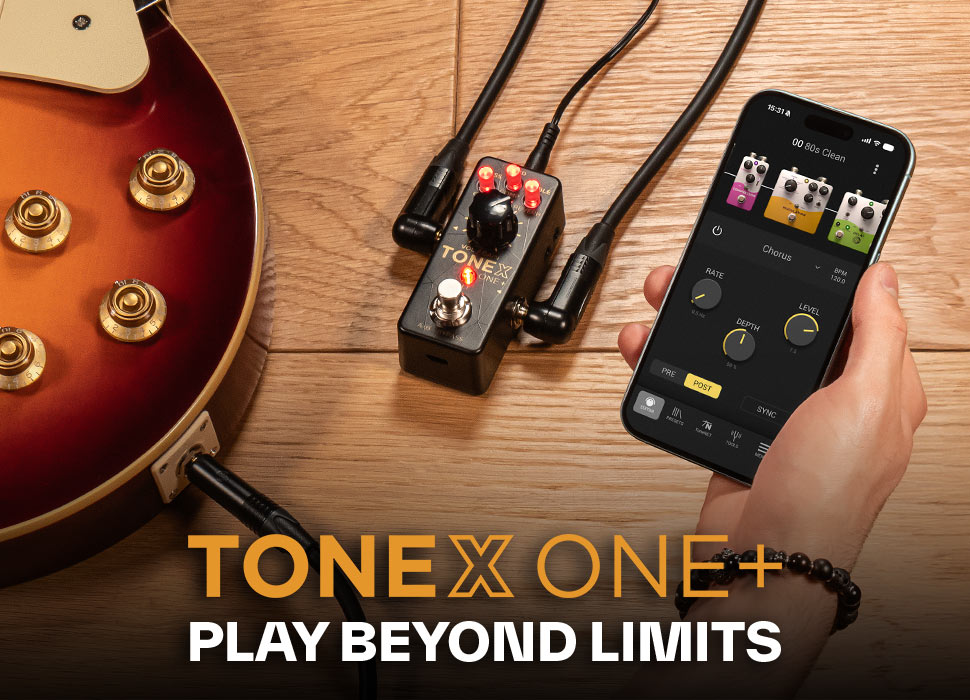
GETTING STARTED
1 - Quick start
- Download and install IK Product Manager.
- Log in or create your IK Multimedia account.
- Register your TONEX ONE+ using your serial number.
- Download/Update the TONEX Control App: App Store - Google Play.
-
Enable Bluetooth, open the app, tap Connect — the app pairs automatically.
Then log in to ToneNET with your IK credentials.
Browse, edit, download tones from ToneNET, and start playing.
Tip:Start exploring ToneNET to see the full power of the TONEX ecosystem.
2 - Dial In Your Setup
Traditional Amp
Disable the cab section (via Control App, pedal, or TONEX Editor)
FRFR / PA / Powered Speaker
Use Tone Models with cab, VIR cab, or custom IRs enabled
Recording via USB
Use TONEX ONE+ as a direct audio interface into your DAW
Headphones
Connect to the output jack for stereo silent practice
Setting Input Level
Play your guitar and adjust input so the signal stays strong without clipping (red LED). Easiest method: open the Control App and adjust under Settings > Input Trim.
Or adjust directly on the pedal:
- Enter Setup Mode — Hold the ALT button for ~6 seconds until the LED turns blue
- Adjust Input Trim — Turn the 3rd micro knob — down if clipping, up if signal is weak
- Use the LED as a guide — Low = weak signal Green = optimal Red = clipping
3 - Operating Modes
Dual Mode
Toggle between two presets with the footswitch — ideal for switching between clean and lead tones
Stomp Mode
Operate like a traditional on/off stomp pedal — engage or bypass with a single tap
Change modes directly on the pedal, or more easily through the TONEX Control app or TONEX Editor.
4 - Alt button
Secondary Parameters
Press ALT to switch knobs from tone controls (bass, mid, treble) to advanced settings: gain, noise gate, compression, reverb
Lock Controls (Safe Mode)
Hold ALT for 3 seconds to prevent accidental knob changes during performance
Setup Mode
Hold ALT for 6 seconds to access global settings: input trim, cab bypass, and performance mode
5 - TONEX Control app
The mobile app is the easiest way to edit tones, adjust settings, browse ToneNET, and manage presets — all wirelessly. Connect in 3 steps:
1
Enable Bluetooth on your mobile device
2
Open TONEX Control and tap Connect
3
App automatically finds and pairs with your TONEX ONE+
Bluetooth Pairing Mode
The pairing mode is used only for pairing Bluetooth for audio streaming. The Bluetooth connection to the TONEX Control application is done automatically.
Press and hold ALT + Footswitch together for ~3 seconds — micro knobs blink blue when ready to pair.
From the app you can: browse & download from ToneNET · edit tone parameters · manage & reorder presets · adjust global settings
6 - Desktop Software suite
Download and install TONEX software via the IK Product Manager (includes TONEX Player/plug-in, TONEX Editor, and TONEX Modeler in a single installer)
TONEX Player
Play through Tone Models on desktop or as a plug-in in your DAW
TONEX Editor
Edit, organize, and transfer presets to your pedal in real time
TONEX Modeler
Capture your own amps, pedals, and rigs with AI Machine Modeling™
7 - Account & Purchases
Use your IK Multimedia account to manage your products, software, and Premium Collections. If you’ve purchased TONEX Signature or Tone Partner collections, access and download them directly within TONEX.
Paid Collections
- Register via IK Product Manager or in the app (Account tab)
- In the TONEX Control app, tap the current Tone Model name → My Collections
- Scroll down and tap Sync Account
For TONEX desktop: https://www.ikmultimedia.com/faq/index.php?id=1452
8 - Documentation and Manuals
9 - Video Resources
* TRADEMARK & NON-AFFILIATION NOTICE
TONEX®, AI Machine Modeling™, AmpliTube®, ToneNET™, VIR™ are trademarks or registered trademark property of IK Multimedia Production Srl. All rights reserved.
Mac, the Mac logo, the Audio Units logo, iPhone®, iPod touch®, iPad® are trademarks of Apple Computer, Inc., registered in the U.S. and other countries. App Store is a service mark of Apple Inc. Windows and the Windows logo are trademarks or registered trademarks of Microsoft Corporation in the United States and/or other countries. VST is a trademark of Steinberg Media Technologies GmbH. AAX, Avid, the Avid logo, Pro Tools, and RTAS are trademarks or registered trademarks of Avid Technology, Inc. in the U.S. and other countries.
All other product names and images, trademarks and artists names are the property of their respective owners, which are in no way associated or affiliated with IK Multimedia. Product names and images are used solely for the purpose of identifying the specific products that were studied during IK Multimedia's sound model development and for describing certain types of tones produced with IK Multimedia's digital modeling technology. Use of these names and images does not imply any cooperation or endorsement.
IK Multimedia disclaims any ownership over content uploaded by users to ToneNET, including but not limited to Tone Models, Presets, and any text or symbols that users upload with their content. IK Multimedia does not endorse or represent any users of ToneNET, and any names, trademarks, or tradenames that users may upload with their content on ToneNET should not be construed as an endorsement, association, or affiliation with IK Multimedia. Users represent and warrant that they own or are licensed to use all intellectual property, including copyrights and trademarks, in any content that they upload. IK Multimedia disclaims that any content uploaded by users is non-infringing. Please see the ToneNET Terms of Use with ways that you can notify us if you believe content on ToneNET infringes your rights.


