Resolution for Software "Install Failed" on Windows 10
We have seen some users affected by the latest Windows 10 (2004 May 2020; July/August) updates which in some cases may cause installation conflicts with IK Product Manager. This is related to the Windows Security Settings and can be corrected with a couple of steps.
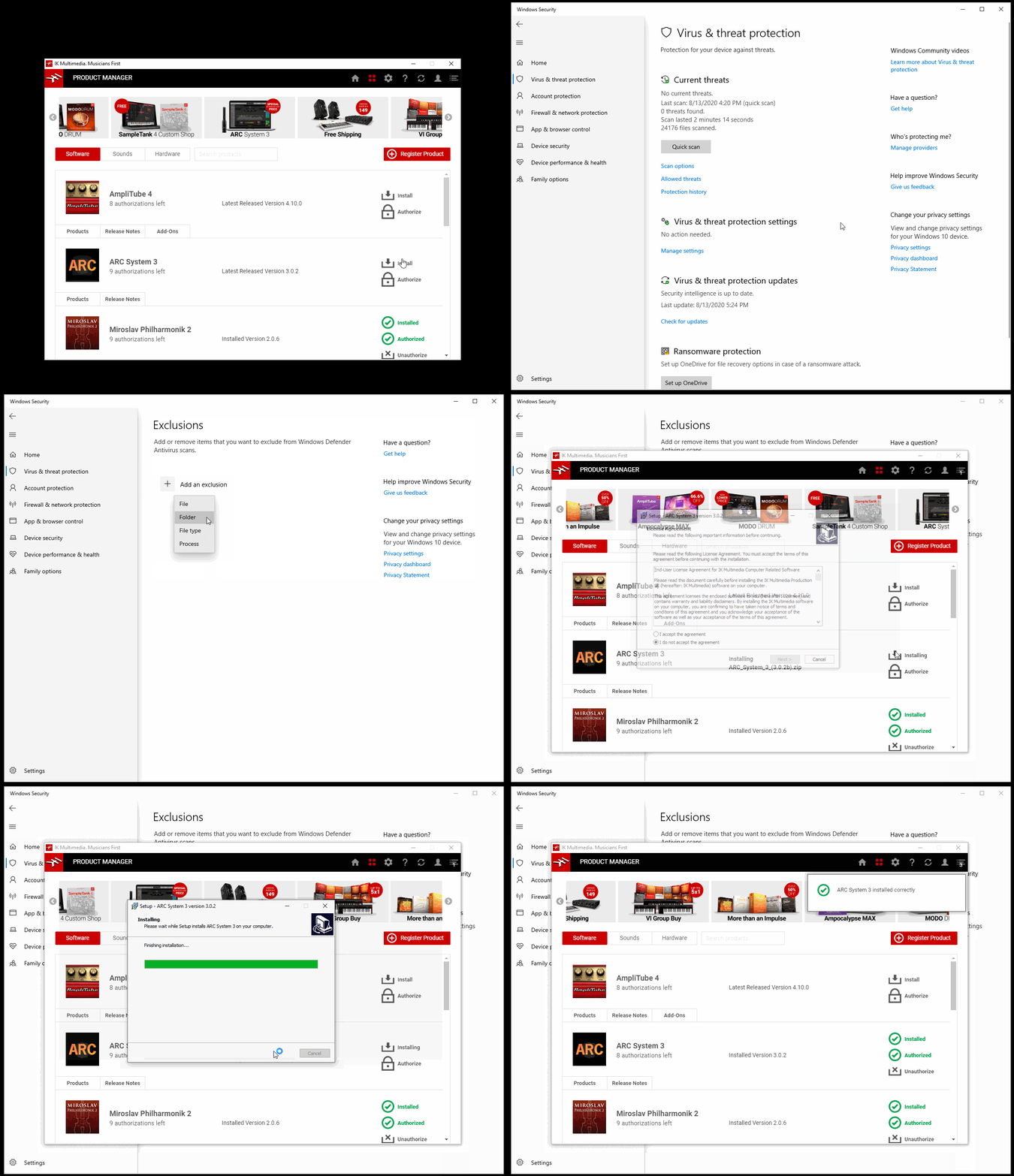
Please use the link below for steps on adding the IK Product Manager download folder as an exclusion to your Windows Security settings. If you are unsure where this is, the location is managed in the IK Product Manager Preferences (GEAR icon at top bar). Once added, you will not have any issues with installing your software via IK Product Manager.
https://support.microsoft.com/en-us/help/4028485/windows-10-add-an-exclusion-to-windows-security
We would also like to take this time to reassure you that our team is looking into this behavior and we will be addressing this in a future update to correct this for any affected users. The IK Product Manager will alert you when this is live and ready to be installed.
Solution steps in the video below:
FAQ ID: 1393


