Search FAQ / Why Aren't Any of My ARC 3 Measurements Appearing?
Why Aren't Any of My ARC 3 Measurements Appearing?
On macOS Catalina, the OS now requires you allow access to the Files & Folders. If none of your measurements are appearing after creating them in the analysis app, you may have inadvertently denied access to the documents.
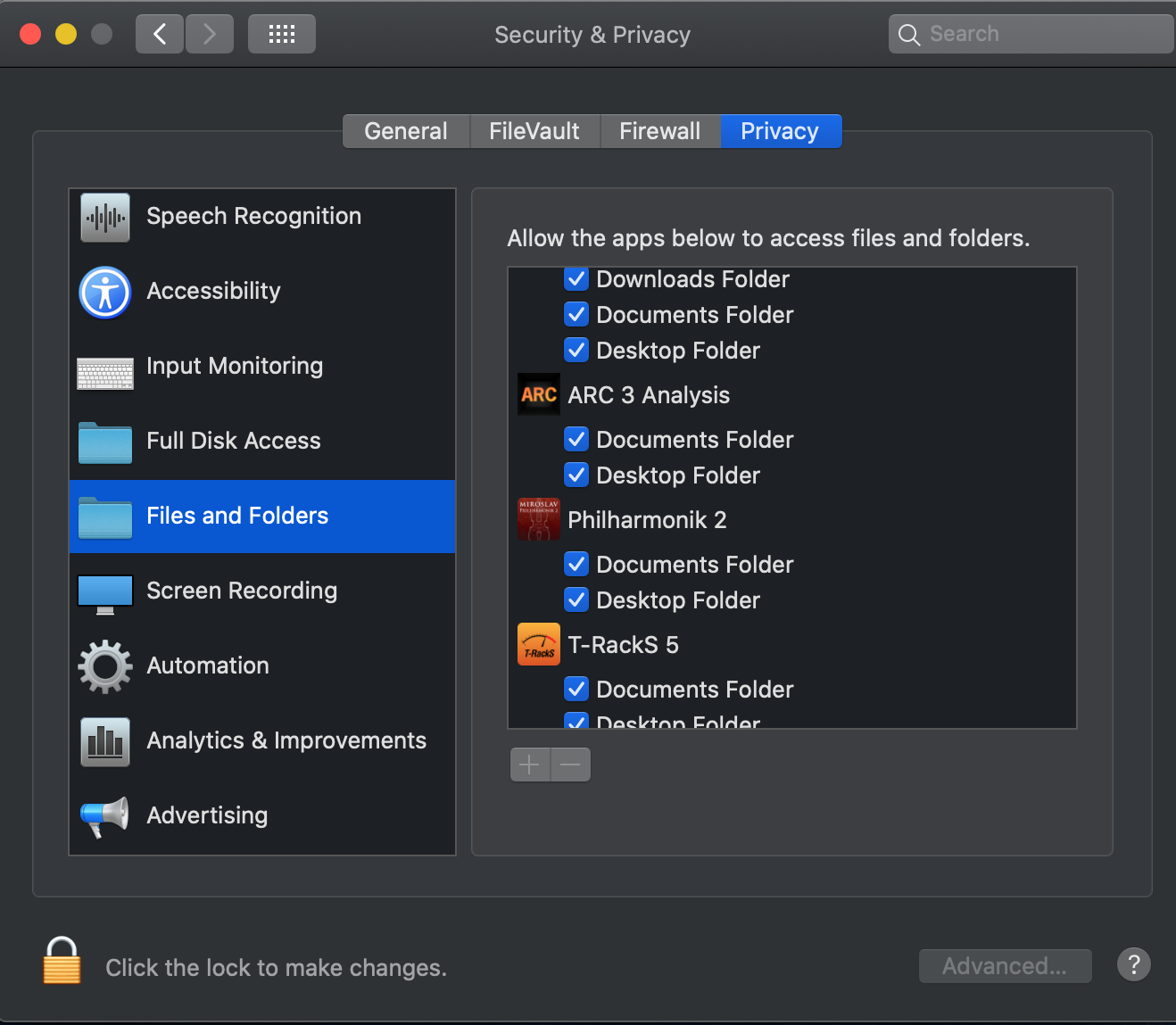
However, you can enable this at any time. This can be managed in System Preferences > Security & Privacy > Privacy tab.
On the left area of this window, you will see permission categories such as Camera, Microphone, Files & Folders. Select Files & Folders and make sure that ARC 3 is enabled for "Documents" there.
FAQ ID: 1334


