Search FAQ / How to use iRig Stream with Zoom on Mac/PC?
How to use iRig Stream with Zoom on Mac/PC?
Follow these quick steps to get started:
- Once you’ve joined or started a Zoom meeting, use the Test speaker and microphone option
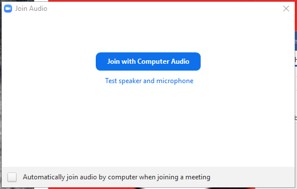
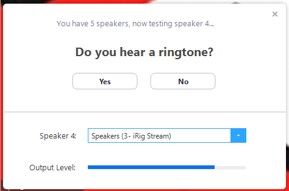
- Select the iRig Stream as your Speaker and make sure you hear the test tone.
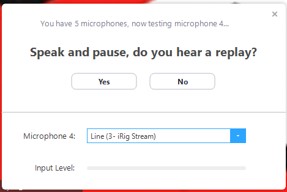
- Select the iRig Stream as your Microphone and make sure you hear yourself reply.
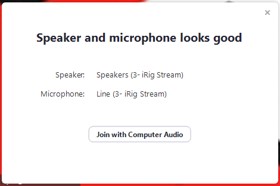
- Select Join with Computer Audio and you’re good to go!
FAQ ID: 1291


